
Viewing File Properties
View detailed information about a file, including its size, type, dates, owner, sharing status, and version details.
Opening File Properties
- Right-click the file.
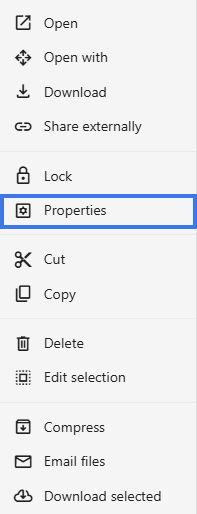
- Select Properties.
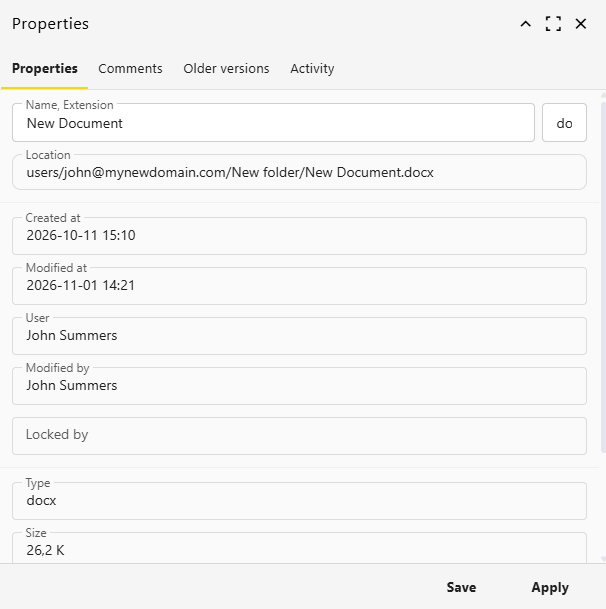
- The properties panel opens.
Basic Information
- Name — The file name
- Type — The file type, such as document, spreadsheet, or presentation
- Size — The file size shown in KB or MB
- Location — The folder path where the file is stored
Date Information
- Created — When the file was first created
- Modified — The last time the file was changed
- Accessed — The last time the file was opened
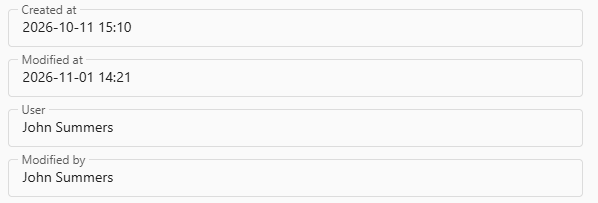
Version Information
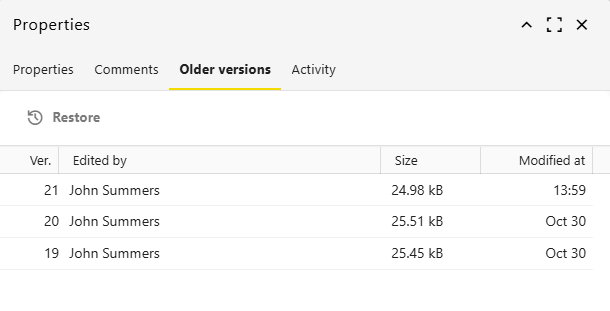
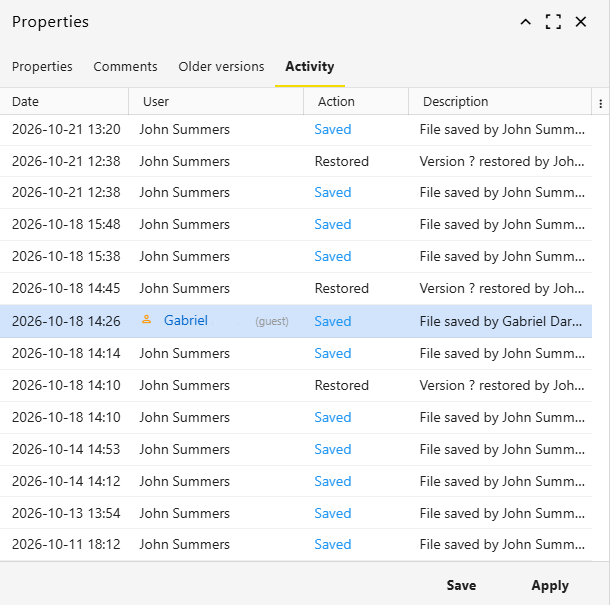
- Number of saved versions
- Access to version history or older versions, if available
Using Properties
Check File Size
Useful before downloading, emailing, or sharing a file.

Verify Ownership
Confirm who controls the file and who originally created it.

Check Dates
Review when the file was created, last modified, or last opened.
Editing Properties
Some properties may be editable, depending on your workspace:
- File name
- Content expiring date
Other properties, such as file size and system dates, are managed automatically.
Why File Properties Are Useful
- Help identify the correct file quickly
- Show whether a file is current or outdated
- Make it easier to confirm ownership before editing or sharing
- Let you review sharing and version details in one place
Tips
- Check properties before sharing a file externally
- Review the Modified date to make sure you are using the latest file
- Use properties to confirm the file location if you need to move or organize it
- Look at version details before restoring or comparing older content