
Creating Folders
Organize your documents by creating folders. Folders help you group related files and keep your file space clean and easy to manage.
Creating a New Folder
- Navigate to the location where you want the folder.
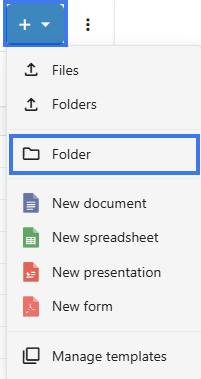
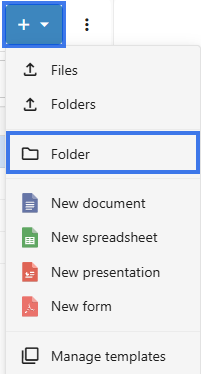
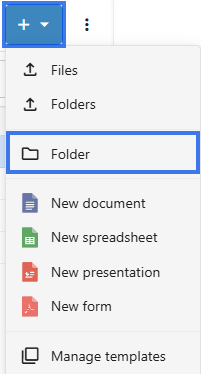
- Click the New button or the + Icon button.
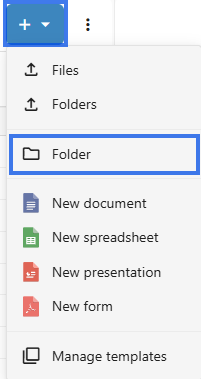
- Select Folder.
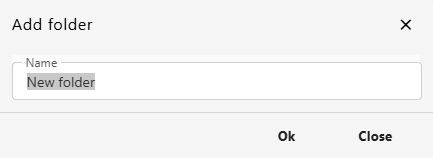
- Enter a name for the folder.
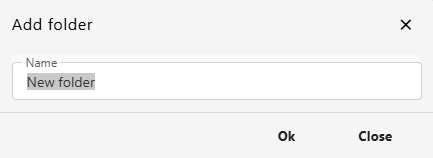
- Click on Ok.
Folder Naming Tips
- Use clear, descriptive names
- Keep names reasonably short
- Avoid special characters such as
\ / : * ? " < > |
- Use a consistent naming style across folders
Creating Nested Folders
- Open an existing folder.
- Create a new folder inside it.
- Continue nesting as needed.


Tip: Try not to nest folders too deeply. In most cases, 3 to 4 levels is enough.
Folder Structure Ideas
By Project
Use project-based folders when you want to group all files related to one job or client.
Projects/
├── Project Alpha/
├── Project Beta/
└── Project Gamma/
By Date
Use date-based folders when you want to organize files by year, quarter, or another time period.
2026/
├── Q1/
├── Q2/
├── Q3/
└── Q4/
By Type
Use type-based folders when you want to separate documents by purpose.
Documents/
├── Reports/
├── Proposals/
└── Contracts/
After Creating
- Move files into the new folder
- Share the folder if needed
- Add it to favorites for faster access later