
Email Verification Process
External users must verify their email address before accessing shared documents. This extra step helps make sure only the intended recipient can open the file.
How Verification Works
- The external user clicks the share link.
- They enter their email address.
- A verification code is sent to that email.
- They enter the code on the verification page.
- Once verified, they can access the document.
The Verification Steps
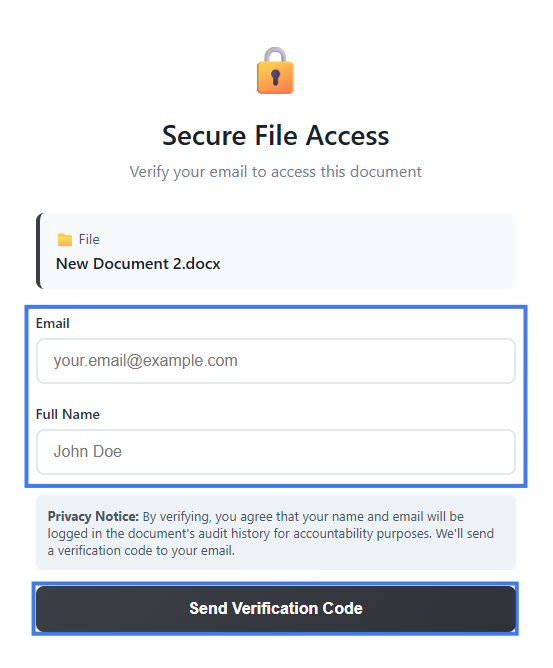
Step 1: Enter Email and Full Name
Enter your email address and full name in the field provided.
- If the link is restricted to a specific email address, only that address will work
- Make sure you type the email correctly before continuing
Step 2: Receive Code
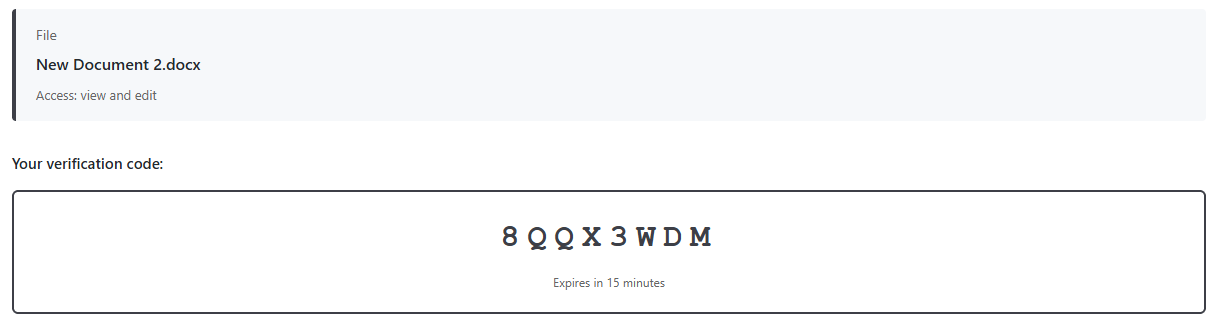
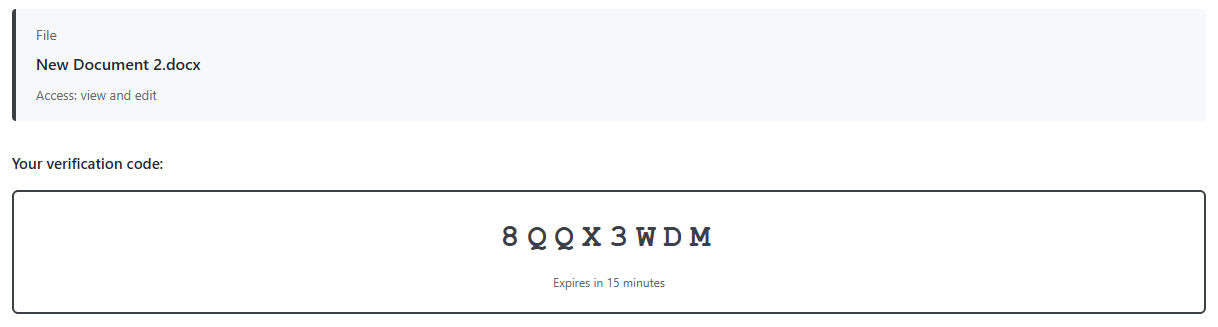
A 6-digit verification code is sent to your email.
The email typically includes:
- The verification code
- Information about which document is being accessed
- Information about who shared the document
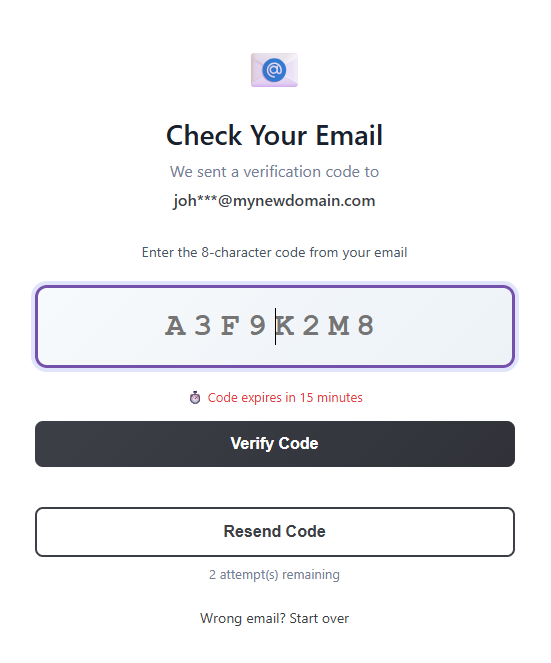
Step 3: Enter Code
Enter the code on the verification page.
- The code is valid for a limited time
- Enter it as soon as you receive it
- If the code expires, request a new one
Step 4: Access Granted
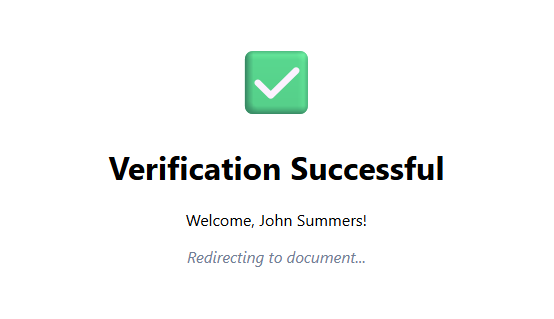
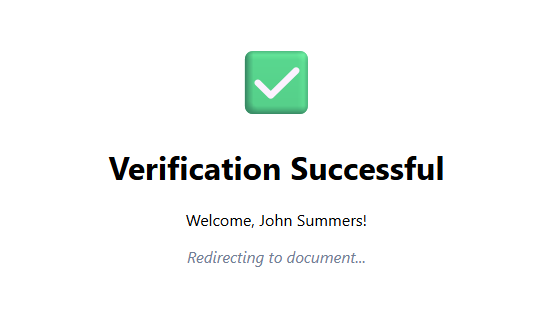
After successful verification:
- The document opens in your browser
- A session is created for continued access
- You may not need to verify again right away during the same session
Session Duration
Your verified session usually remains active for a period of time.
- Access may stay active for several hours or longer
- You may need to verify again later
- Closing the browser or being inactive for too long may end the session
Troubleshooting
Code Not Received
- Check your spam folder
- Confirm that your email address was entered correctly
- Wait a moment and request a new code
- Check whether your email filters blocked the message
Code Expired
- Request a new verification code
- Enter the new code promptly after receiving it
Wrong Email Error
- The link may be restricted to a specific email address
- Make sure you are using the intended recipient address
- Contact the document owner if a different email address needs access
Security Benefits
- Confirms the recipient’s identity
- Helps prevent unauthorized link sharing
- Creates a record of verified access
- Connects document access to a verified email address
Re-verification
You may need to verify again when:
- Your session expires
- You open the link from a new device or browser
- Browser cookies have been cleared
- There has been a long period of inactivity