
Import and Export Calendars
Calendar Management: How to Import and Export Events
Moving your calendar data should be a simple process. Whether you are switching to a new app or backing up your schedule, you can easily move your events using the import and export tools in your webmail.
Exporting Your Calendar
If you need to move your events to another application, you can download them as a universal calendar file.
-
Open the Calendar: In your webmail, navigate to the Calendar tab at the top of the screen.
-
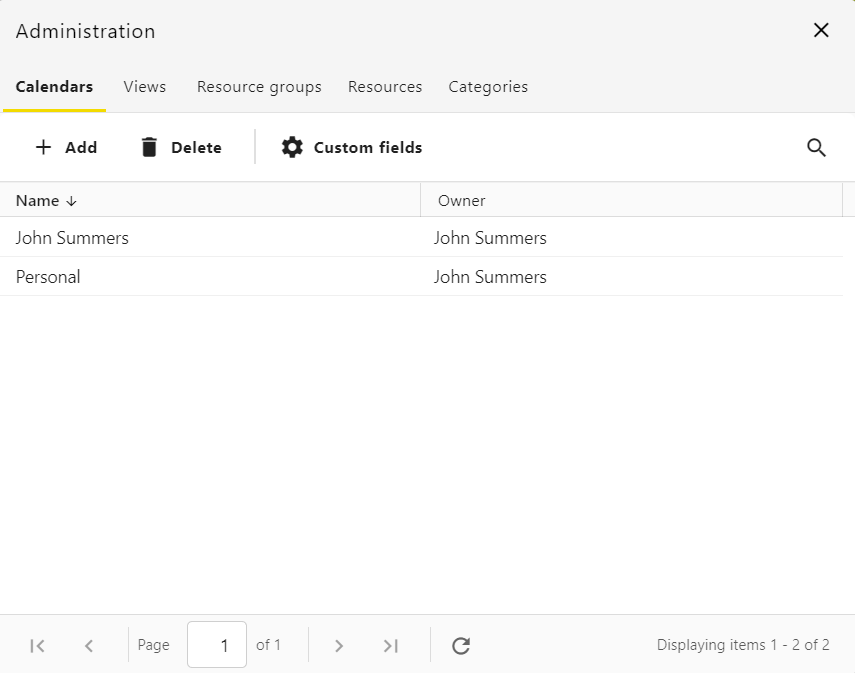
Access Settings: Click on the cogwheel icon to open your calendar settings. This will display a list of all your available calendars.

-
Select a Calendar: Find the specific calendar you want to export and double click it to open the detailed options.
-
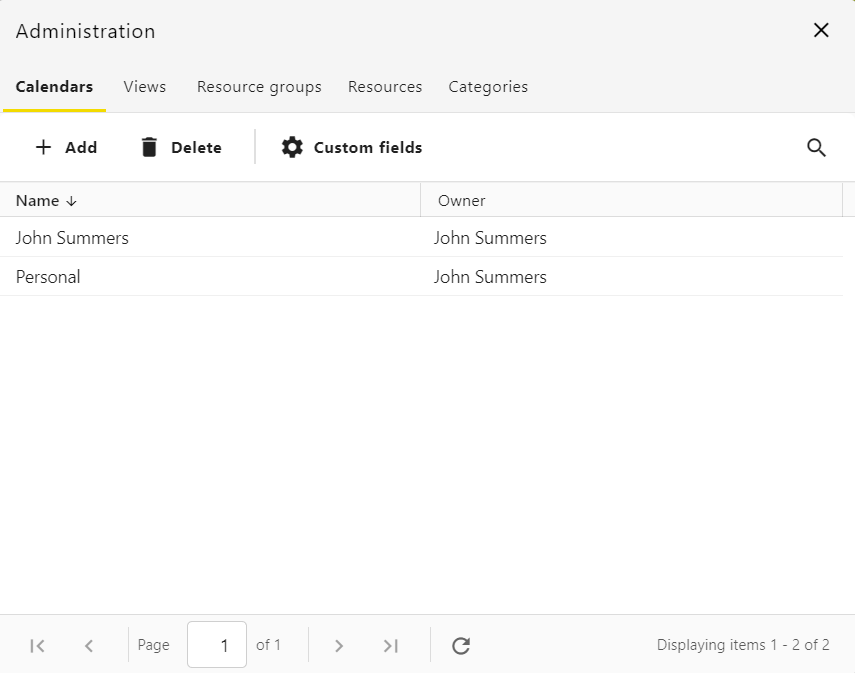
Download the File: On the Properties page, scroll down to the bottom and click the Export button. Your browser will download a file ending in .ics. This file format is compatible with almost every other calendar application.

Importing a Calendar
You can quickly populate your schedule by uploading an existing calendar file from another service.
-
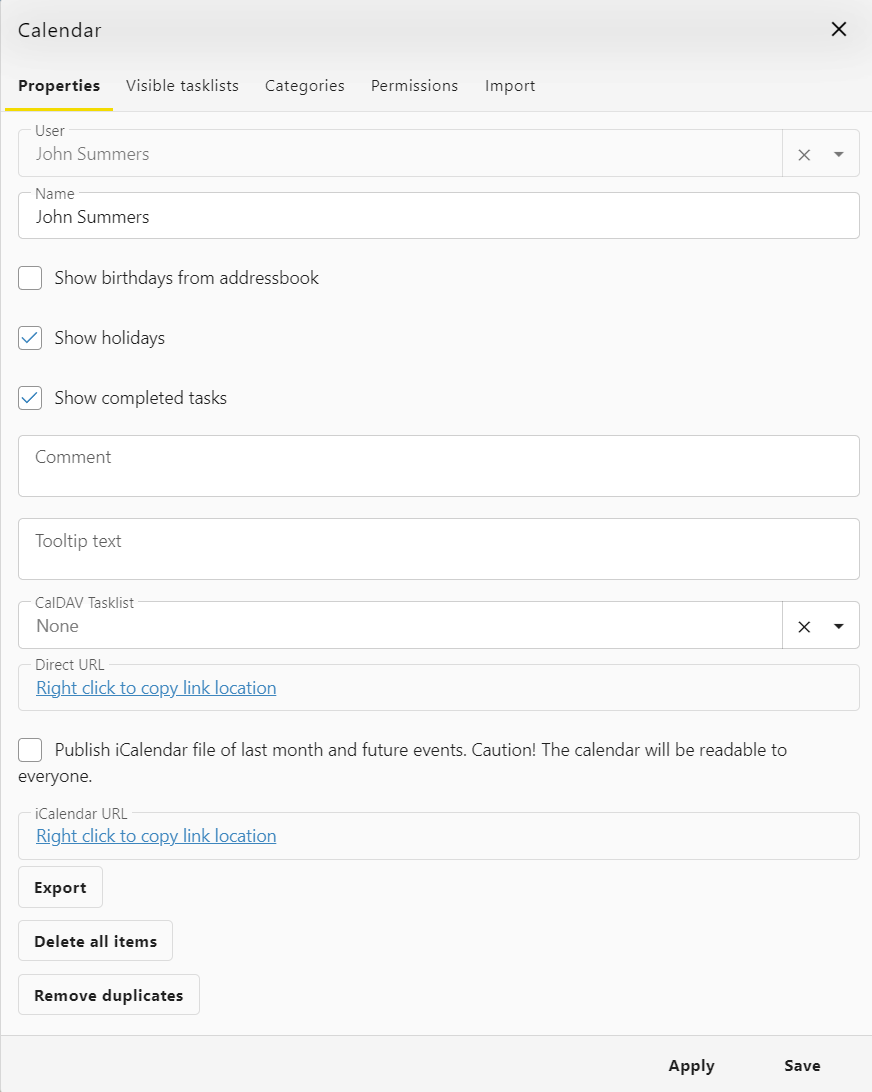
Navigate to Settings: Go to the Calendar tab and click the cogwheel icon.
-
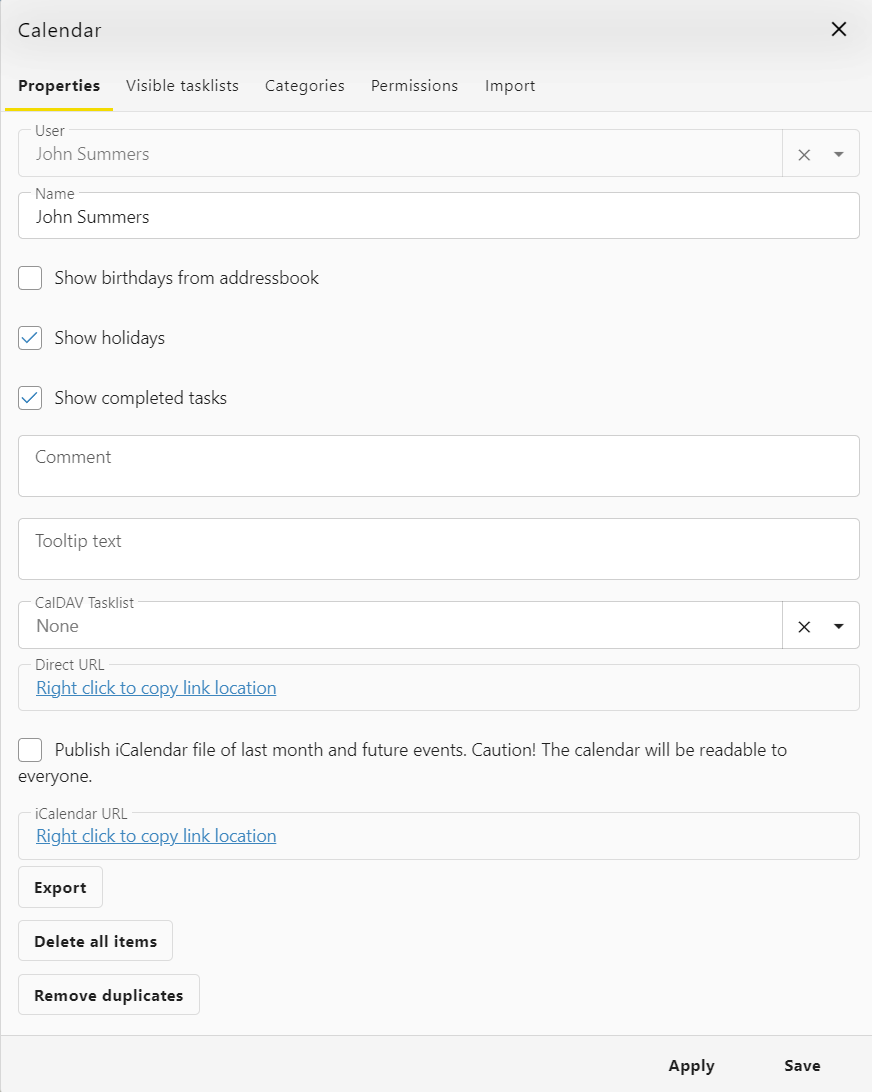
Choose Your Destination: Double click the calendar where you want the new events to appear.
-
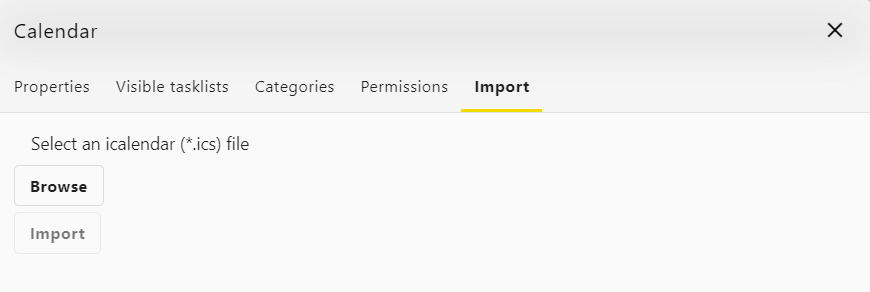
Open the Import Menu: At the top of the settings window, click the Import tab.
-
Upload Your Data: Click the Import button to select a file from your computer. While the menu may primarily mention .ics files, you can also successfully upload .csv files to bring in your data.
Once the upload is complete, your events will appear automatically in your calendar view.