Address Book Sharing
Sharing an address book ensures your team always has access to the right contact information. Whether you need colleagues to simply view a shared directory or you want them to add and update business contacts, you can easily manage these permissions in just a few clicks.
How to Share Your Address Book
Follow these steps to give other users access to your contacts:
-
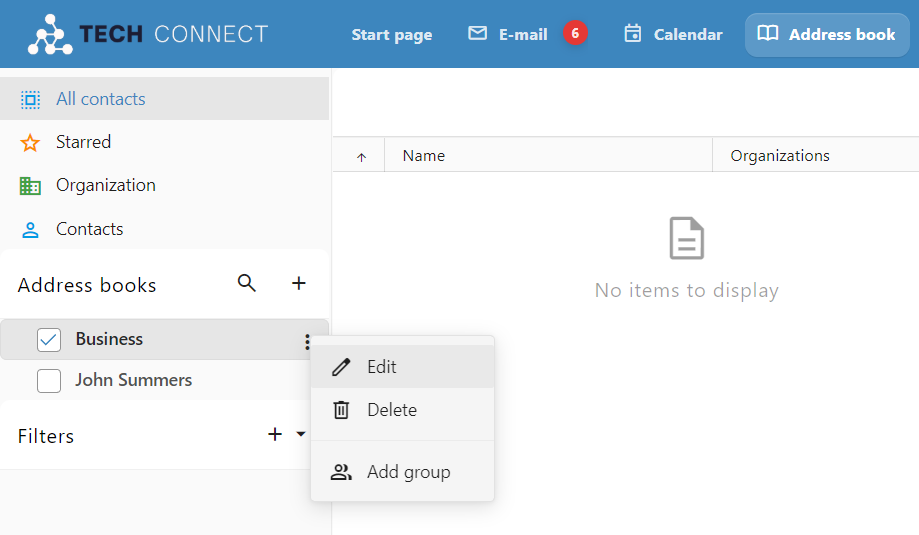
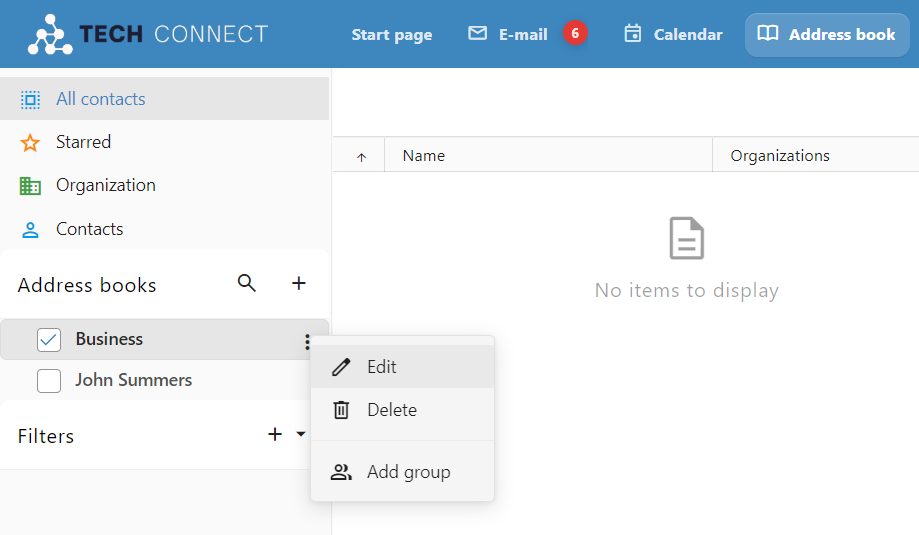
Open Address Book Settings: Navigate to the Address book page, click the three-dot menu next to the specific address book you want to share, and select Edit.
-
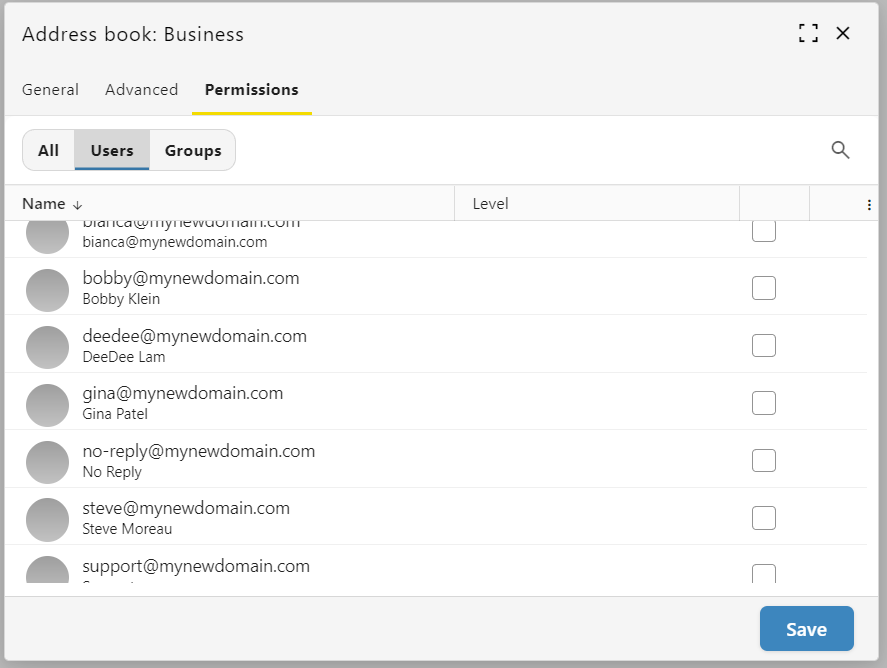
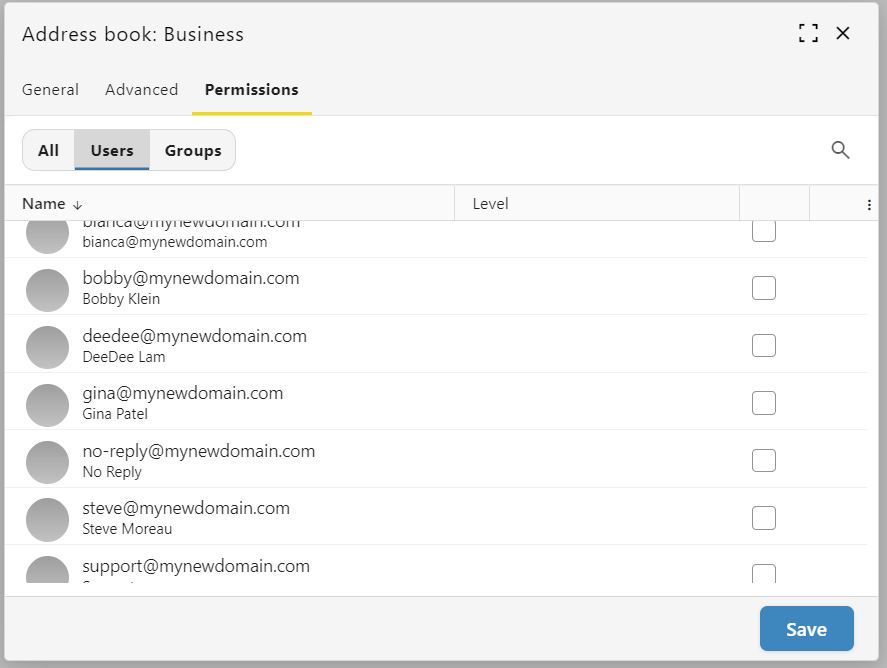
Navigate to Permissions: In the pop-up window, click the Permissions tab. From here, you can filter the list to show just Users, just Groups, or All.
-
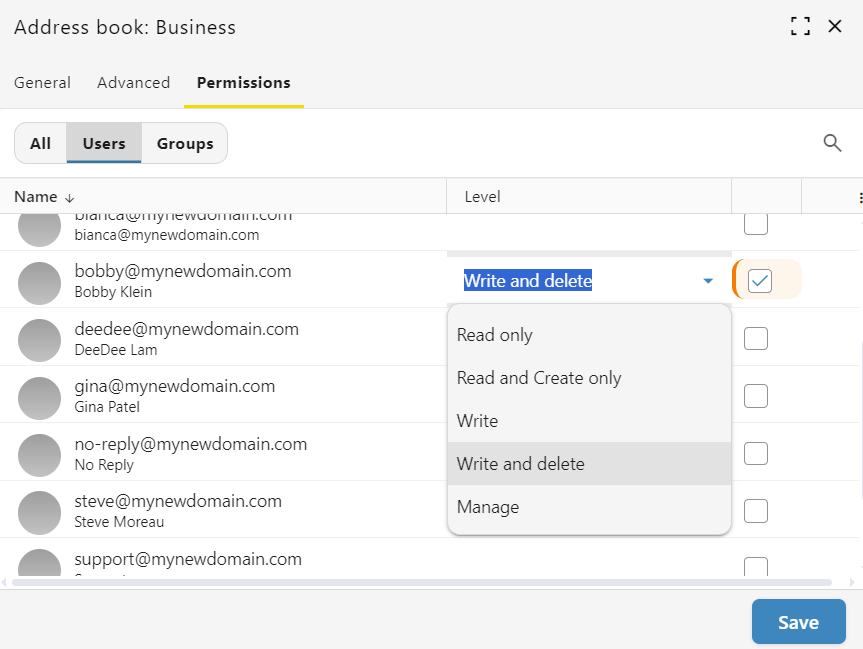
Select Users: Locate the colleague(s) you want to share with and check the box on the far right side of their name.
-
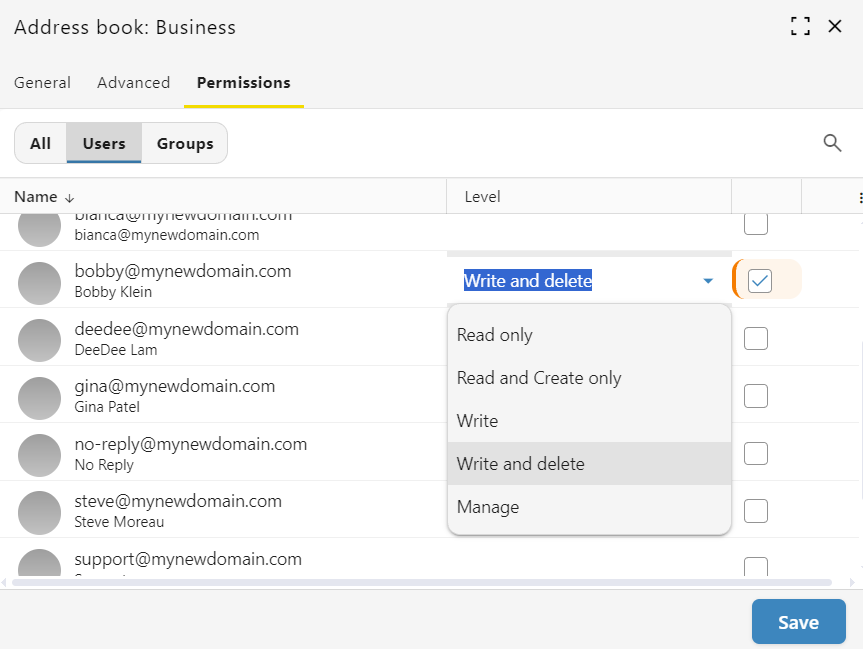
Adjust Access Levels: The system assigns "Read only" access by default. Click the permission drop-down menu next to their name to change their access level to options like "Write and delete".
-
Save Your Changes: Click the Save button at the bottom of the window to apply your updates.