
Webmail - Repair Webmail
Resolving Issues with the Repair Webmail Tool
The Repair Webmail option in the Admin Panel is a built-in troubleshooting feature. Admins should use this tool when a user reports login failures, webmail display errors, or general interface glitches.
What the Repair Tool Does
Running this action on a specific user account immediately triggers three system updates:
-
Resets the grid layout: Restores the webmail interface to its default visual arrangement, fixing any display abnormalities.
-
Sets the default language: Updates the user's language preference to match the current admin's language setting.
-
Refreshes the account: Clears session data to resolve underlying access or loading errors.
Step-by-Step Instructions
-
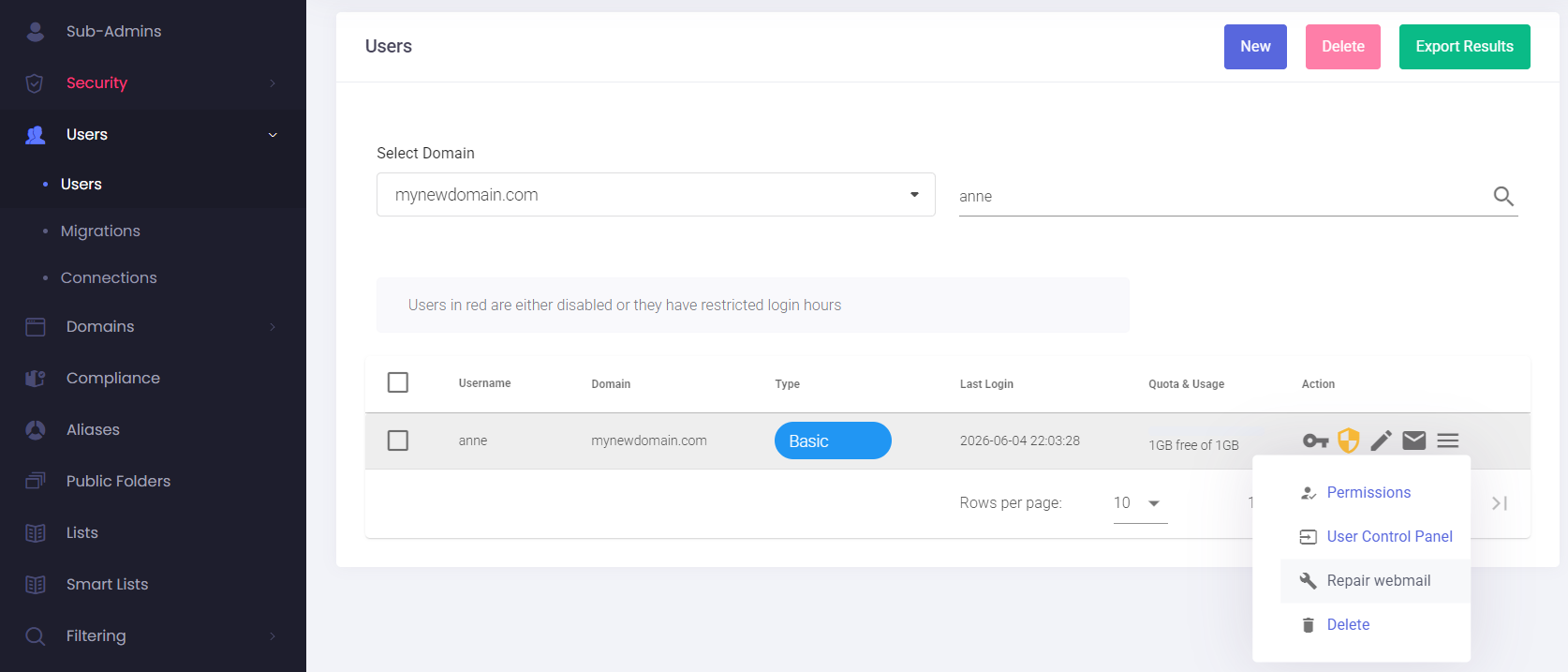
Log in to your Admin Panel and open the Users menu.
-
Search for the specific domains and user reporting the issue.
-
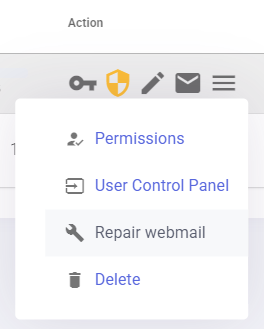
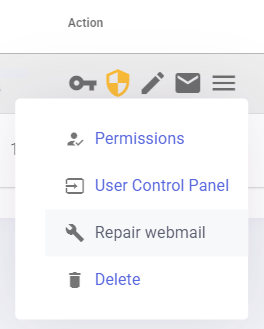
Click the action menu (the three horizontal lines) on the far right side of that user's row.
-
Click Repair webmail from the dropdown list.
Ask the user to log in again once the process is complete. If the problem persists, advise them to clear their web browser cache before further investigation.