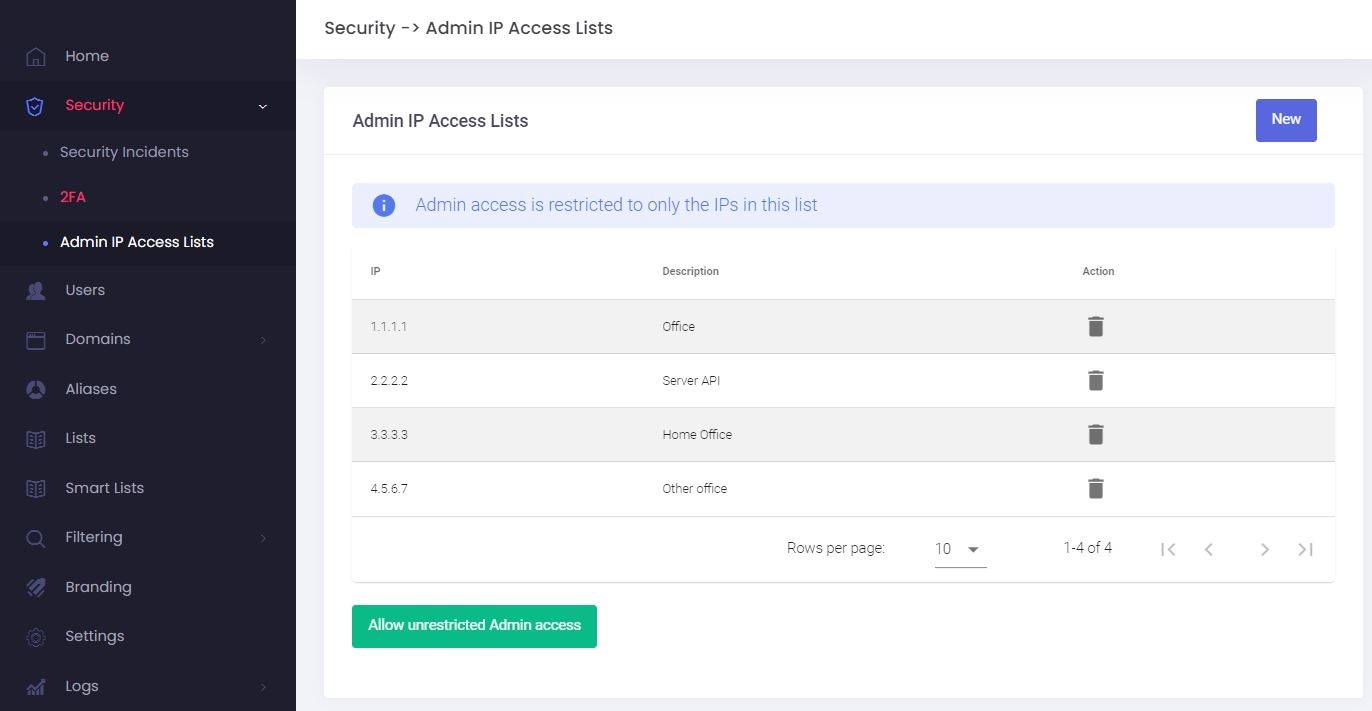
Restrict Login Access: Admin IP Access Lists
You can increase the security of your account by restricting login access for your Admin (or Sub-Admins) account to a list of know IPs, such as your office, your home, and server IPs for API or WHMCS authentication.
This feature works only with static IPs. Make sure your internet provider doesn't use dynamic IP addresses which change over time.
Add a new IP to the Access List
-
Go to the Admin Panel.
- Log in using your Admin (or Sub-Admin) username and password.
- Click on Security → Admin IP Access Lists in the menu.
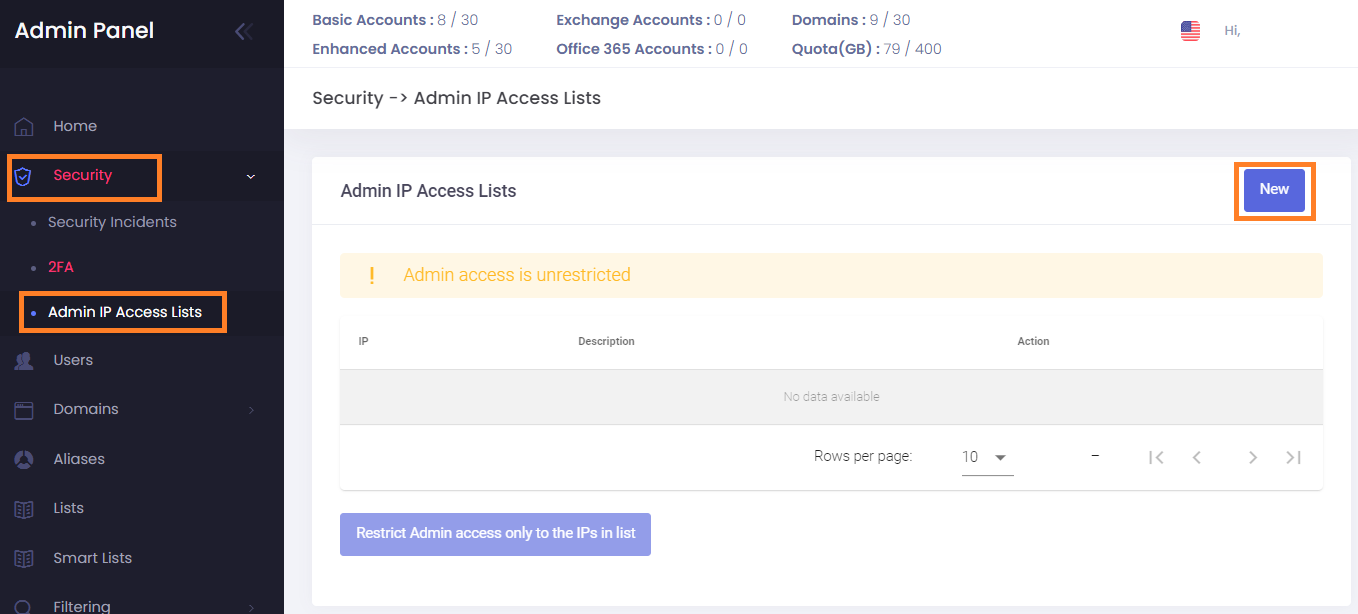
- Click on the New button.
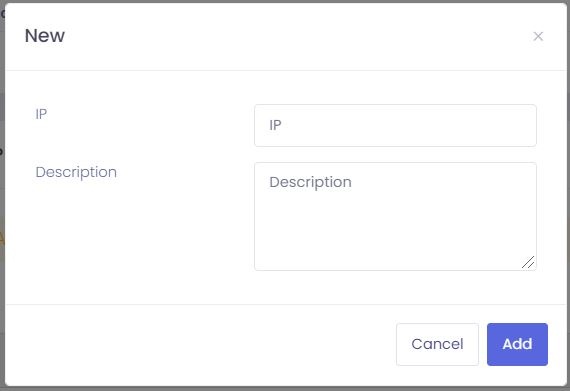
- Fill in the IP and a description.
- Click on the Add button to save.
Restrict Admin Login Access to only the IPs in the Access List
-
Go to the Admin Panel.
- Log in using your Admin (or Sub-Admin) username and password.
- Click on Security → Admin IP Access Lists in the menu.
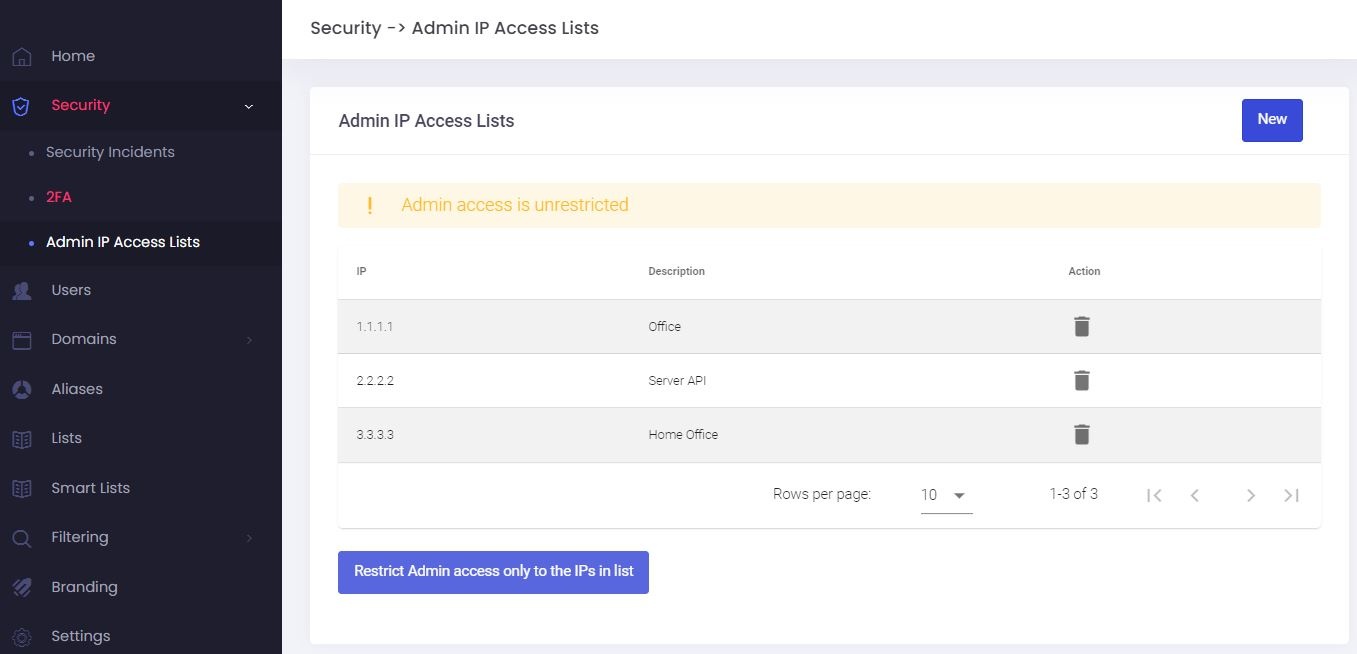
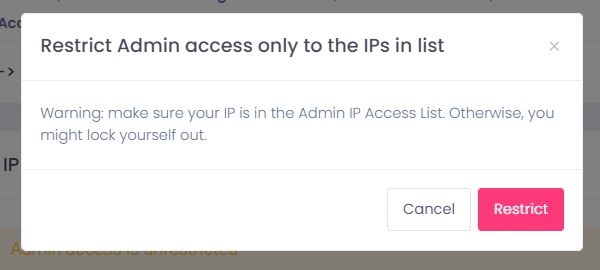
- Click on the Restrict Admin access only to the IPs in list button.
- Read the warning and click on the Restrict button to confirm.
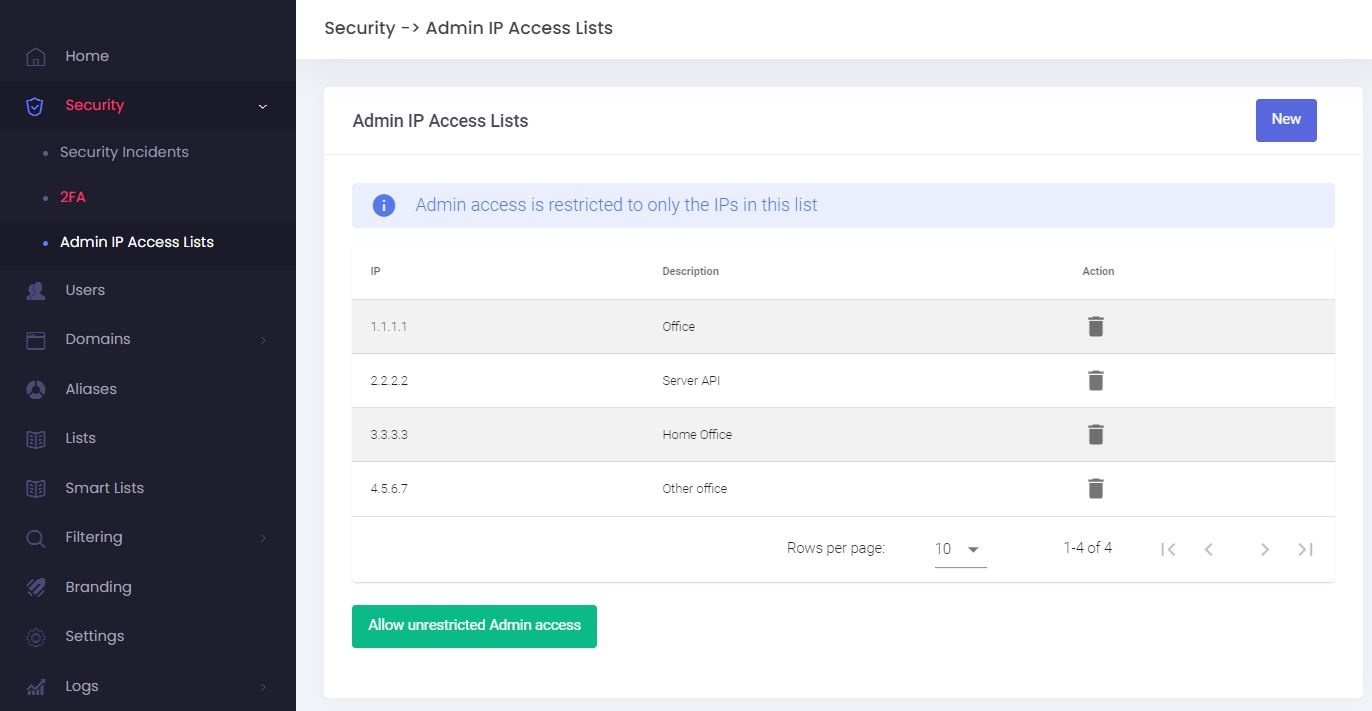
- Access is now restricted to the IPs in your list:
Allow unrestricted access for Admin (or Sub-Admin)
-
Go to the Admin Panel.
- Log in using your Admin (or Sub-Admin) username and password.
- Click on Security → Admin IP Access Lists in the menu.
- Click on the Allow unrestricted Admin access button.