
User Trusted Login IPs
You can mark as safe the IPs that your Users log in from. Use the Mark as Safe feature whenever a Security Incident is considered as safe - logins from the safe IP will not trigger Security Incident warning anymore.
Manage User Trusted Login IPs
To manage the User trusted login IPs for an account:
- Log in to the Admin Panel
- From the menu, go to Security → User Trusted Login IPs
- Select the domain from the dropdown and click on the Search button.
- A list of all trusted IPs that were previously Marked as Safe will show.
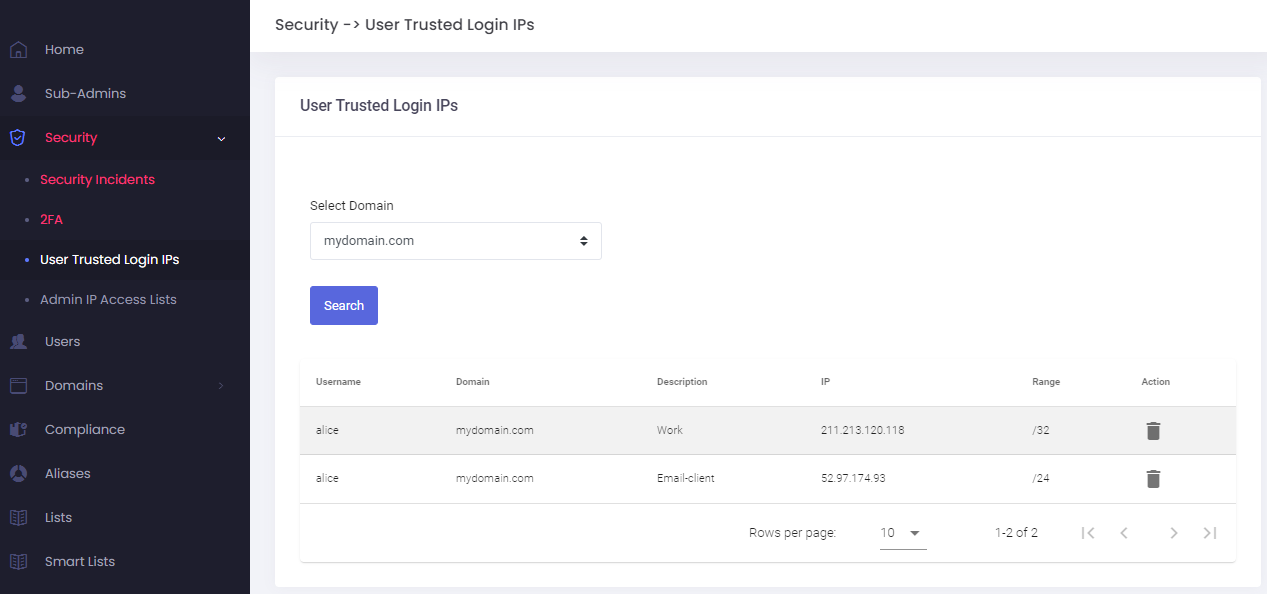
- You can delete an entry at anytime
- To add a new trusted IP, follow these steps.