
Set Branding
The Admin Panel allows you to personalize the namename, primary color and logo being displayed in the Webmail. Regular mail services (IMAP, SMTP, POP) are offered through the anonymous domain emailarray.comWebmail.
Need specific branding for different clients? You can override these global settings at the domain level. If you want a specific domain to have its own unique logo and colors, just head over to Admin Panel > Domains > Branding.
The branding applies to the Webmail interface.
It is also possible to set a different sender for Spam reports sent by the system.
To update the branding for your account:account
Go to the Admin Panel
- Log in using your Admin username and password.
- Click on Branding in the menu bar
- Update the fields
Click on theUpdate Settingsbutton to save the changes.-
Company Web Link: Enter the link to your website
-
Support e-mail: Enter the e-mail address used as the sender for Spam Reports
-
Company Color: Change the primary color for the Webmail to customize the look and match your own branding guidelines
-
DefaultUpload Your Logo:NoticeClick therequiredupload button to select a logo fileextensiondirectly from your computer.
Note on Size: While there is no*.GIF,longerandathestrict sizeoflimitationtheforlogo must be 210px x 35px. You have to publish your image to a web server via FTP (you can upload it on your website, too) and make sure the image is publicly accessible. Alternatively, you can use imgur.com - uploaduploads, your logoandwillcopybe displayed within a 210px x 35px section in the Webmail. For the best visual results, we recommend using an imageaddress.that respects these ratios.
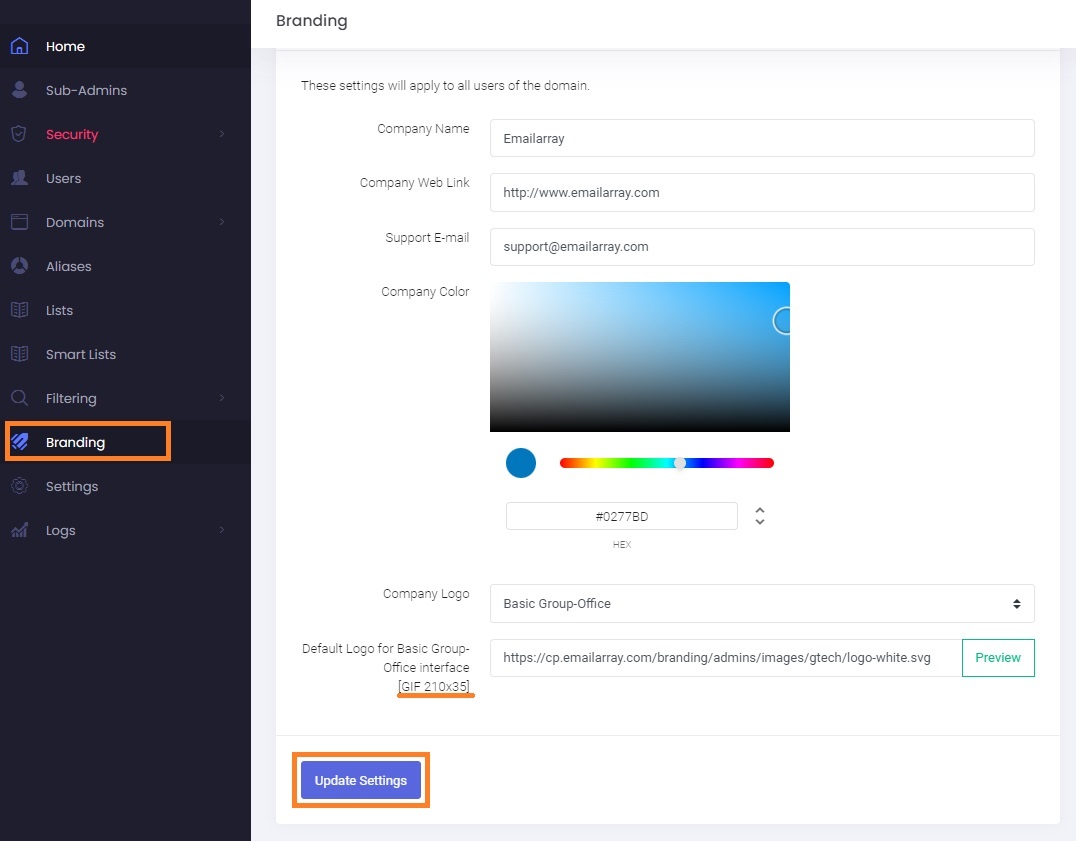
Company Name: Enter your company name - it will be displayed as the Webmail page title in the browser
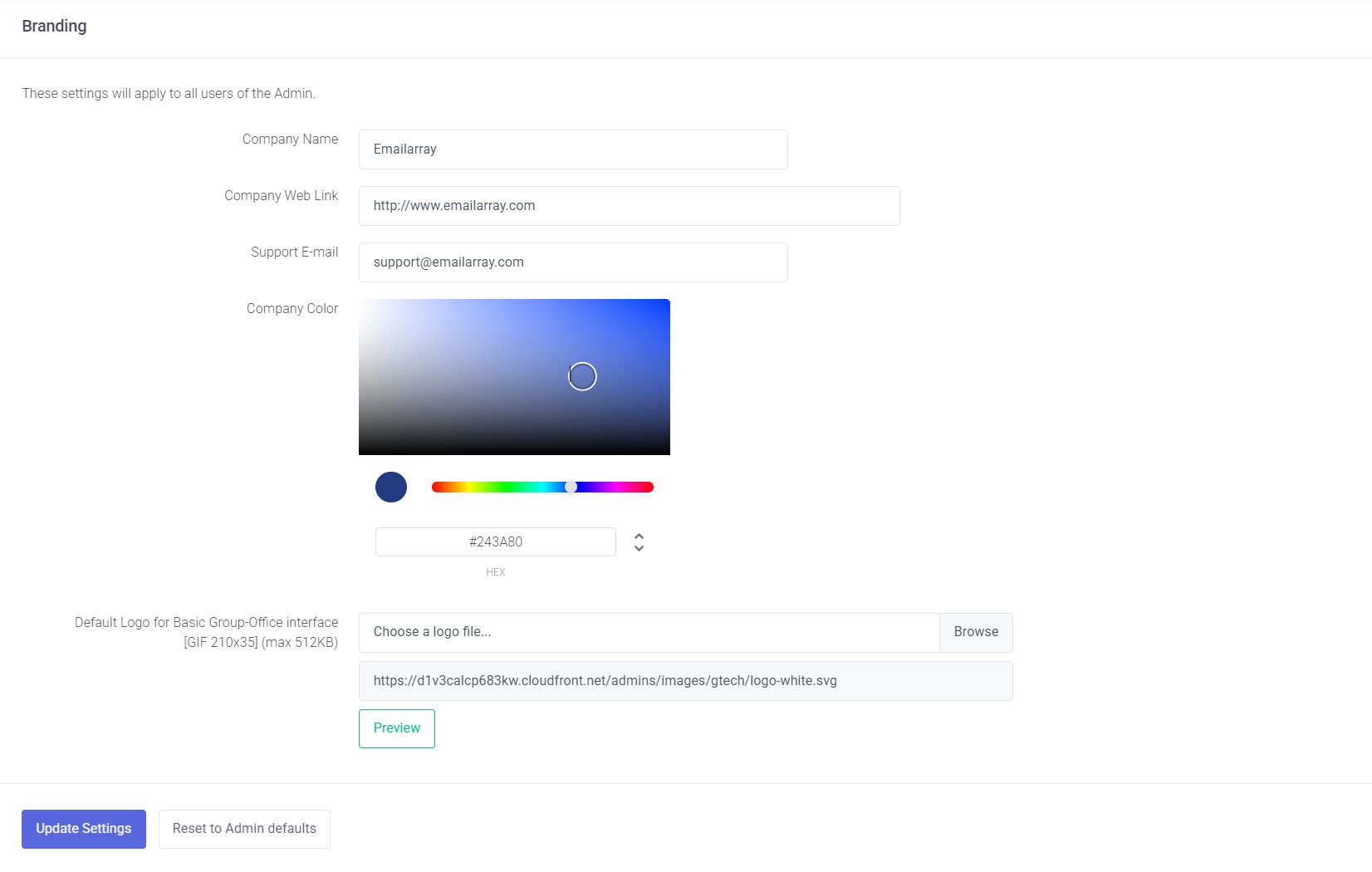
Managing Defaults and Resets
If you shouldare betesting ablenew branding or want to seestart over:
-
Reset to Admin Defaults: Use this button to clear current custom values and return the
logobrandingwhen pastingto theURLsystemindefaults.aYou can then enter newincognitobrandingwindowinformationinasyourneeded.browser.