
Sharing Email Folders
ByFolder Sharingsharing E-mail Foldersallows you allowto yourgive colleagues access to specific folders in your e-mailmailbox. folders,You eithercan grant "Read-only" access for viewing or "Full" access for modifying.those who need to manage and reply to messages on your behalf.
How to Share a Folder
Option 1: From the Webmail (Recommended)
- Go to
Unknownthemacro:Webmail.{link-window} - Log in using your full e-mail address
( user@domain.com )and your current e-mail password.
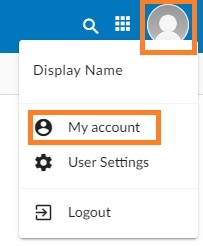
Click on theFoldersUser icon from the top right to activate the menu. Then click on My accounticon-
Access Settings: Click on the
EditUser iconiconin(pencil)thenexttop-right corner and select My account.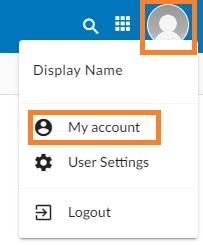
-
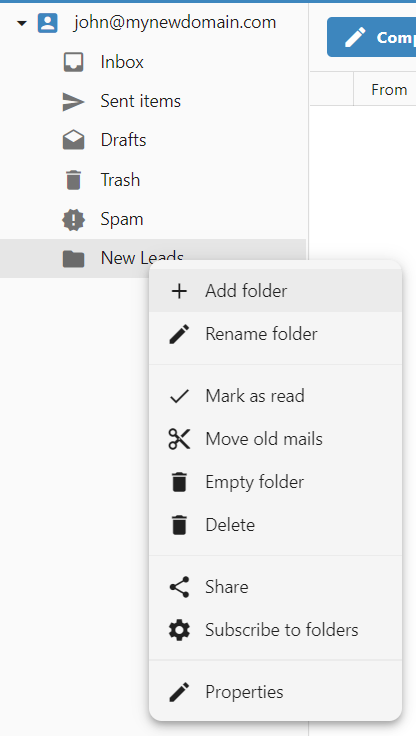
Right-Click to Share: In the folder list on the left-hand side, find the folder you wish to share and right-click on it.
ClickonOpen Share Settings: Select Share from the
NewcontextSharemenu.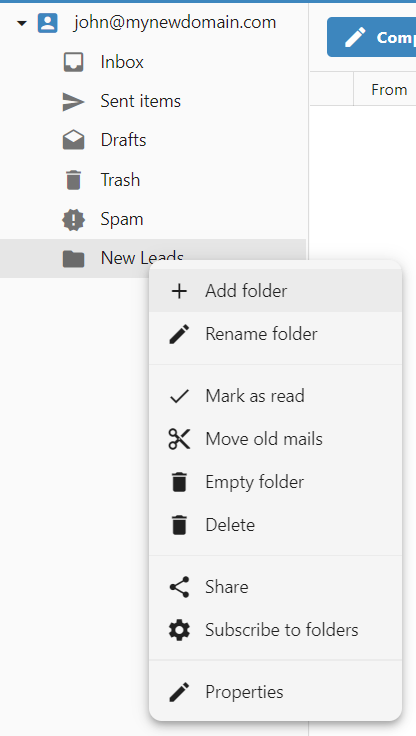
button-
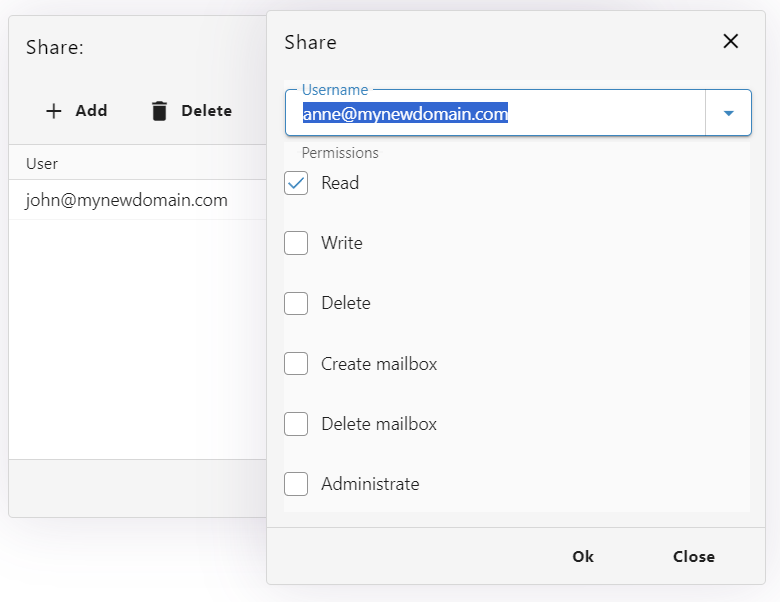
Add a new User and sharing permissions:
-
Click the Add button.
-
Select the user you wish to
givesharepermissionwith from the list. -
Choose the appropriate Permissions (see the guide below).
-
Click on Ok button to
andsave.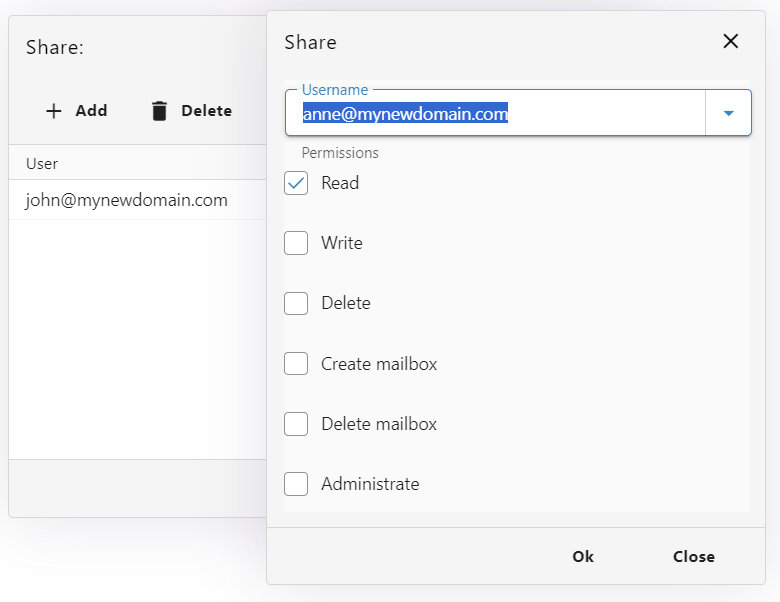
-

Option 2: From the permissionsUser usersPanel
-
Visit the User Control Panel (https://cp.emailarray.com). Log in using your full email address and password.
-
Click on the
ShareFoldersbuttonicon.
Click the Edit (pencil) icon next to the folder you want to share.
Click New Share, select the user and their permissions, and click Share.
Managing or Removing Permissions
From the User Panel
-
In the User Control Panel, click the Folders icon.
-
Click the Edit (pencil) icon next to the folder.
-
Click the "-" (minus sign) next to the user you wish to remove.
Understanding Permissions
| Level | What can they do? |
| Read-only | Can see and read messages, but cannot move, delete, or mark them as read/unread. |
| Read/Write | Can read, move, and flag messages. |
| Full | Can read, write, delete, and manage the folder's contents entirely. |
Don't Lock Yourself Out: By default, your own account has full"Full" permissionspermissions. on the folder you are editing. Make sureDo not to eraseremove your own permissions from the list, or you will lose access to that folder
Removingand permissionwill onneed aan folder
Goadministrator tofor you.Unknownrestoremacro:it{link-window}Log in using your full e-mail address ( user@domain.com ) and current password.Click on theFoldersiconClick on theEditicon (pencil) next to the folder you wish to edit sharesClick on the "-" icon (minus sign) next to the user you wish to remove the permissions for