
eM Client - Syncing Calendar and Contacts
eM Client is a powerful groupware tool that allows you to manage your professional life in one place. By connecting your Calendar (CalDAV) and Contacts (CardDAV), you can keep your schedule and address book perfectly synchronized between eM Client and your other devices.
Note: Please ensure your email account is an Enhanced mailbox, as these mailboxes support advanced synchronization features.
Step 1: Get Your Server URLs
You will need a specific URL for your Calendar and another for your Contacts. You can find these in your webmail:
-
Log into your Webmail.
-
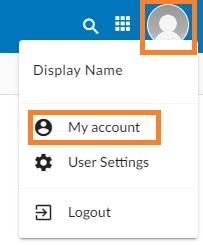
Click on your Profile Picture/Icon in the top corner.
-
Select My Account.
-
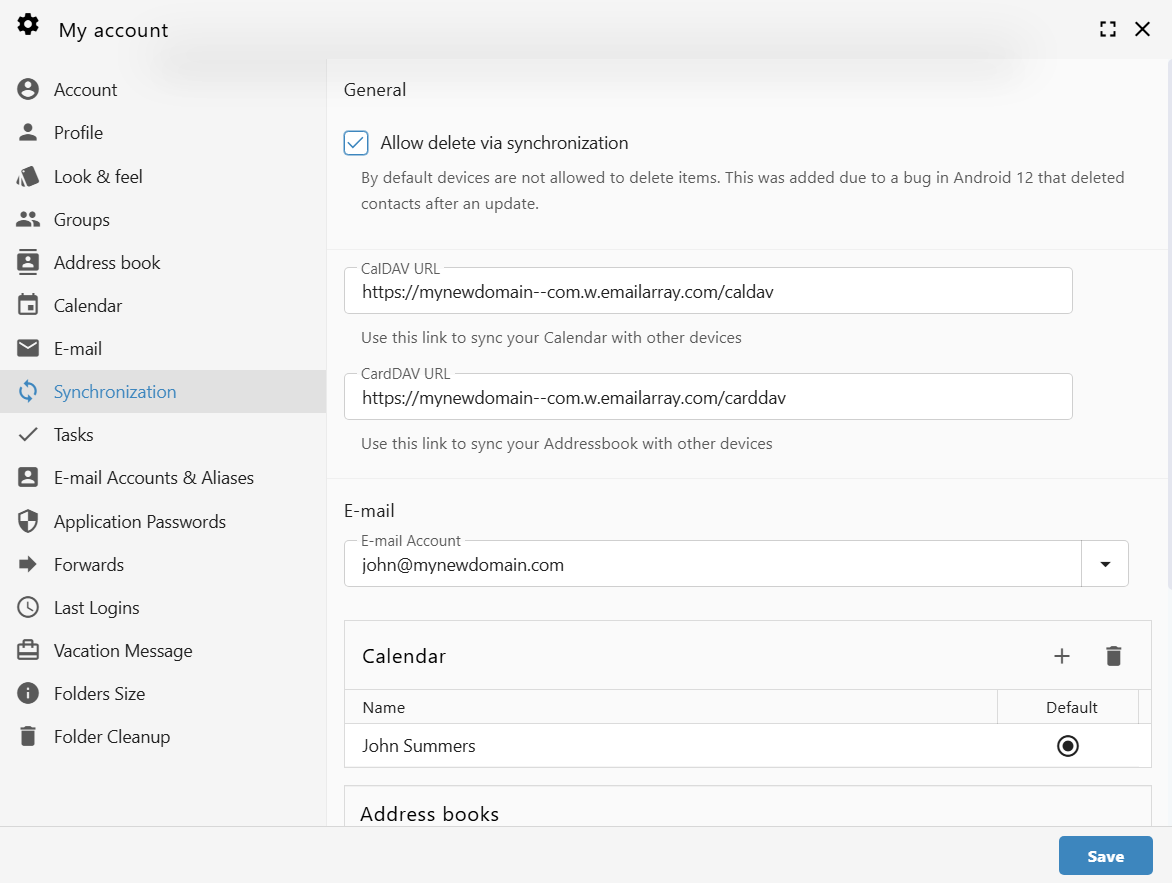
Navigate to the Synchronization tab on the left-hand menu.
-
Copy the unique links found under CalDAV URL and CardDAV URL.
Example URL Formats:
-
CalDAV:
https://yourdomain--com.w.emailarray.com/caldav