Change your mailbox password
Your mailbox password is the one you use when you log in to the Webmail or e-mail client, such as Apple Mail, Outlook, or the mail app on your phone.
If you have set up the e-mail address on other devices, once you update the e-mail password, you should update the settings of all your e-mail clients to use this new password for IMAP and SMTP logins.
Your password must contain at least 8 characters, and at least one UPPERCASE letter, one lowercase, one number, and one special character (,./!@#$%^&*, etc.)
1. Change your mailbox password from the Webmail
To change the password for your e-mail address, log in to the GroupOffice Webmail using your current password:
- Log into the Webmail using your full e-mail address and your current e-mail password.
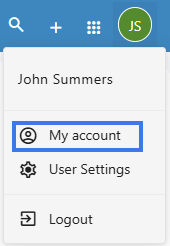
- Click on the User icon from the top right to activate the menu. Then click on My account.

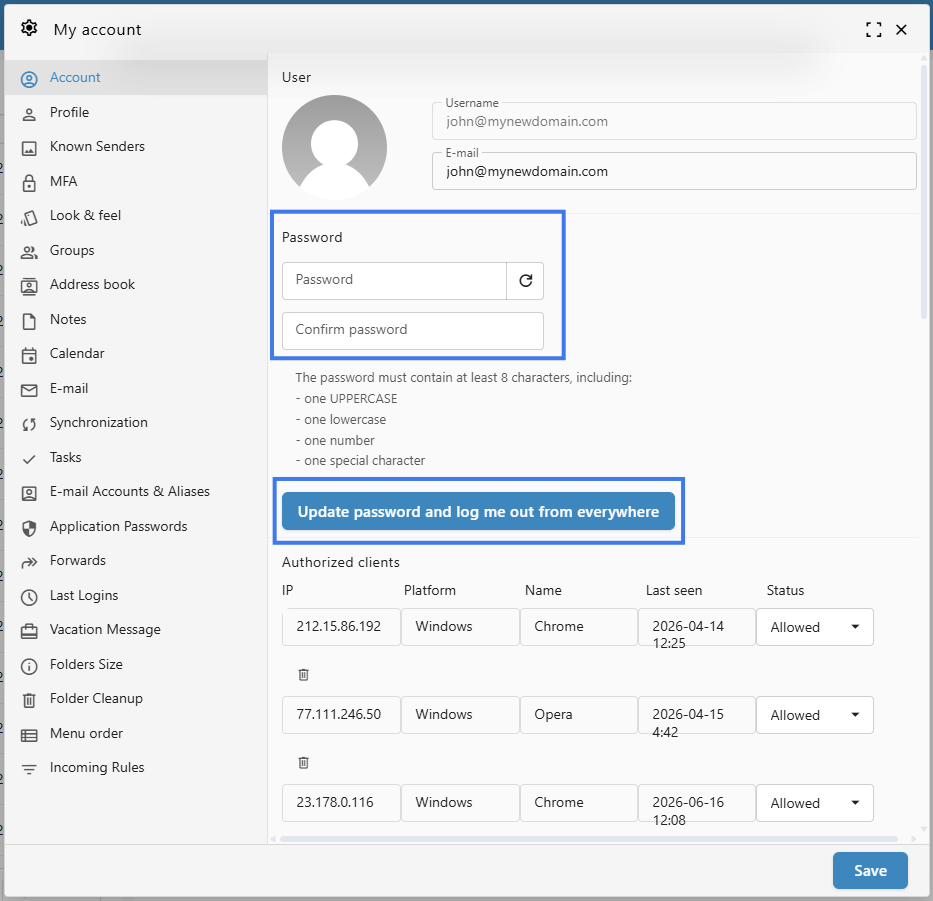
- In the Account tab, in the Password section, you can fill in the new password.
- Fill in and confirm the new password. Please note the password must meet all the requirements.
- You can also generate a strong password by clicking on the Refresh arrow icon at the right of the Password field.
- Click on the Update password and log me out from everywhere button. This will log you out of every device or email client.
- Your password was updated, and you can now use it to log back in.
2. Change your mailbox password from the User Panel
To change your password for your e-mail address:
-
Go to the User Panel
- Log in using your full e-mail address ( user@domain.com ) and your current e-mail password.
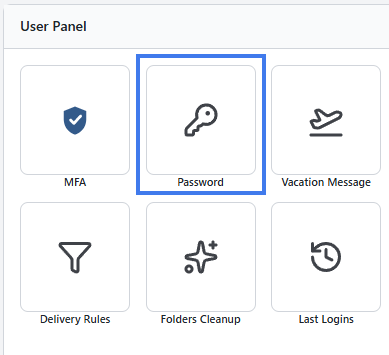
- Click on the Password icon from the menu
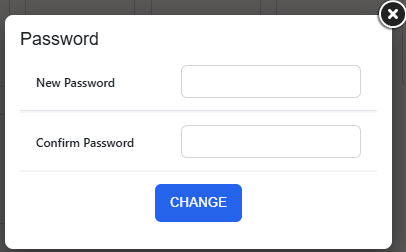
- Enter your new password, confirm it and click on the Change button
3. Change the mailbox password from the Admin Panel
If you have administration permissions, you can update the password of a mailbox without knowing the current one.
To update the password:
- Go to the Admin Panel
- Log in using your Admin username and password
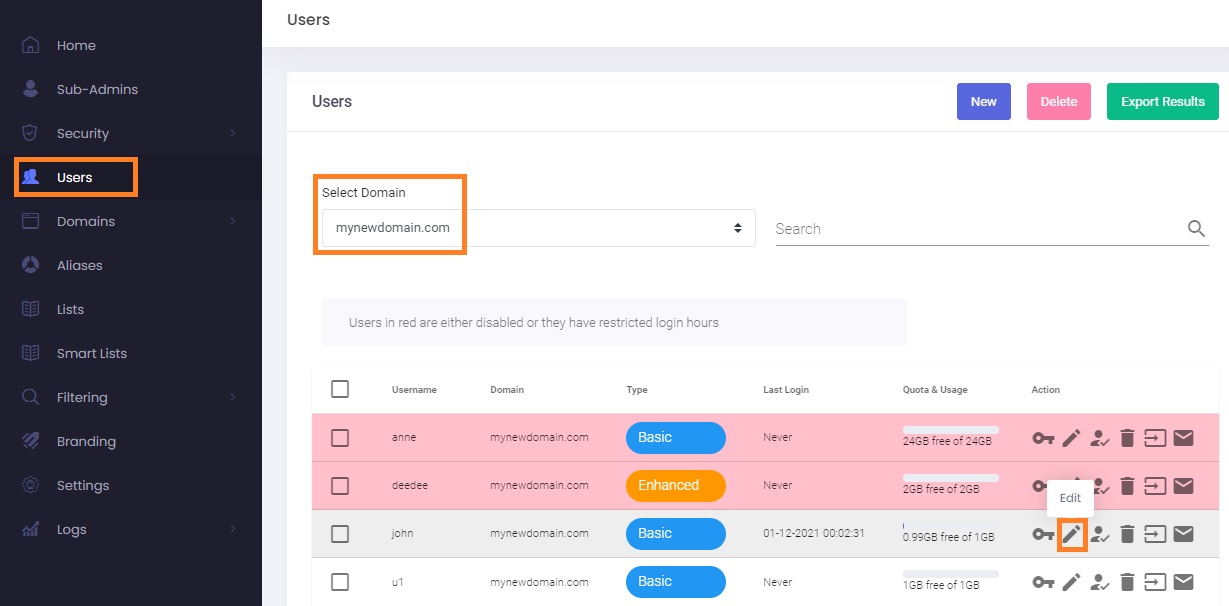
- Go to the Users tab from the menu
- From the Select Domain dropdown, select the desired domain name
- Click on the Edit (pencil) icon to update the desired mailbox
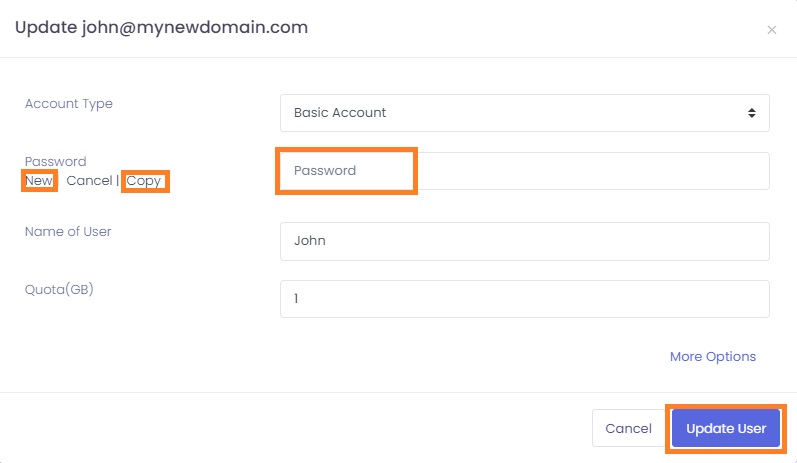
- In the new pop-up window, you can fill in the new Password for the e-mail address.
- You can also use the New button to generate a complex password and copy it to clipboard using the Copy button.
- Click on the Update User button to save the changes.